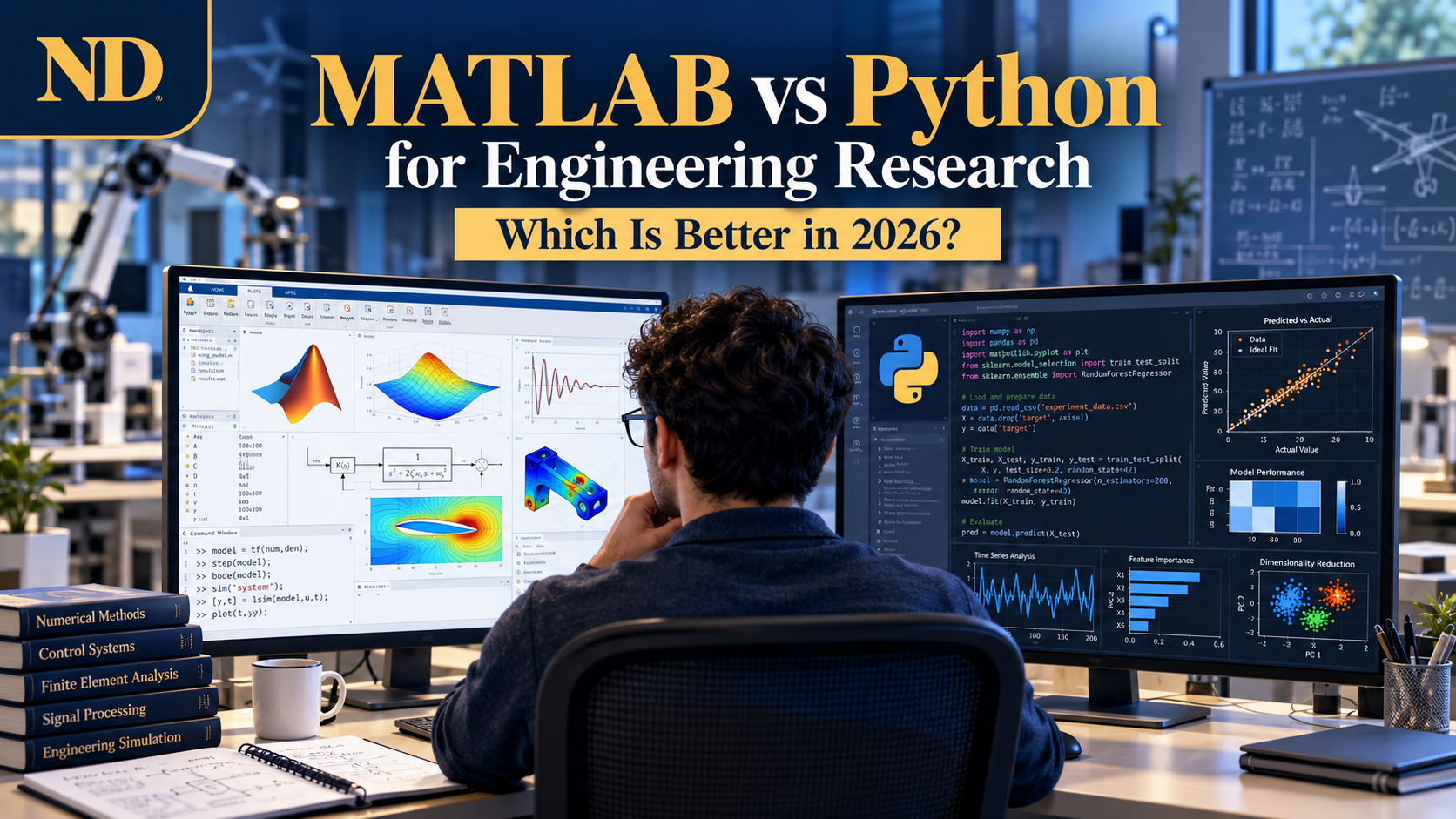
MATLAB vs Python for Engineering Research: Which Is Better in 2026?
Engineering research has entered an era in which computational modeling, artificial intelligence, data analysis, and numerical simulation are essential to solving complex scientific and technical problems.
Whether researchers are designing intelligent control systems, analyzing biomedical signals, investigating renewable energy technologies, or developing machine learning algorithms, choosing the right computational environment can significantly influence research efficiency and reproducibility.
Two of the most established environments are MATLAB and Python.
MATLAB provides an integrated ecosystem for scientific computing, engineering simulation, and mathematical modeling. Python offers an extensive open-source ecosystem for numerical computing, artificial intelligence, scientific data processing, and software development.
But which is better for engineering research in 2026: MATLAB or Python?
This comprehensive comparison explores the capabilities, advantages, limitations, costs, and research applications of both environments.
It also provides practical examples and a structured decision framework to help engineering students, master's and PhD researchers, and academic professionals select the most appropriate tools.
Quick Answer: MATLAB vs Python for Engineering Research
MATLAB is often preferable for engineering research involving specialized simulations, control systems, signal processing, and Simulink-based modeling. Python is frequently advantageous for artificial intelligence, machine learning, scientific data analysis, and open-source research workflows.
Both environments support advanced numerical computing and computational engineering.
MATLAB offers an integrated development environment and specialized engineering products, while Python provides flexibility through scientific libraries such as NumPy, SciPy, and scikit-learn.
The best choice depends on research objectives, required software, available infrastructure, collaboration requirements, and reproducibility.
For multidisciplinary projects, combining MATLAB and Python can be a practical solution.
Key Takeaways
MATLAB is a strong choice for engineering simulations, particularly when researchers require Simulink, control design, or specialized engineering toolboxes.
Python offers exceptional flexibility for scientific computing, with an extensive ecosystem of open-source libraries.
Both MATLAB and Python support numerical analysis, differential equations, optimization, signal processing, and research visualization.
Python is frequently preferred for AI-focused research because of its extensive machine learning and deep learning frameworks.
MATLAB is particularly convenient for established Model-Based Design workflows, including graphical system modeling through Simulink.
Python is generally more accessible without commercial licensing, although advanced research may still require paid computing infrastructure.
Neither tool is universally faster; execution performance depends on implementation, libraries, hardware, and algorithms.
Both can support master's theses, PhD dissertations, and journal research, provided researchers use rigorous methods and validation.
MATLAB and Python interoperability enables hybrid research workflows combining engineering simulation with data-driven analysis.
Scientific accuracy and reproducibility are more important than software popularity.
1. What Is MATLAB, and Why Is It Used in Engineering Research?
MATLAB, short for Matrix Laboratory, is a numerical computing and programming environment developed by MathWorks.
It is designed for mathematical calculations, numerical analysis, scientific visualization, and technical modeling.
Researchers use MATLAB in electrical engineering, mechanical engineering, communications, robotics, biomedical engineering, and related fields.
One of MATLAB's important advantages is its integrated environment, which combines numerical algorithms with specialized engineering toolboxes.
According to the official MATLAB documentation, the platform supports mathematical computing, programming, data visualization, and application development.
Major MATLAB capabilities
MATLAB supports:
Numerical linear algebra and matrix operations
Differential equation solving
Engineering system modeling
Numerical optimization
Signal and image processing
Control system analysis and design
Wireless communication simulations
Statistical and experimental data analysis
Machine learning and deep learning
Robotics and autonomous system research
MATLAB and Simulink
An important component of the MathWorks ecosystem is Simulink.
Simulink provides a graphical block-diagram environment for modeling and simulating dynamic systems.
Researchers can use it to develop mathematical system models, investigate operating conditions, analyze simulation responses, and support Model-Based Design workflows.
Example: MATLAB in electrical engineering research
Consider a postgraduate researcher developing a voltage regulation strategy for a DC–DC converter.
The project may require:
Formulating a mathematical converter model.
Developing a feedback controller.
Building a Simulink representation of the system.
Simulating load disturbances.
Evaluating voltage overshoot and settling time.
Comparing alternative control strategies.
MATLAB and Simulink can support the modeling and analysis stages of such a study.
This makes MATLAB especially attractive when researchers already have access to validated engineering models or established laboratory workflows.
External resource: MATLAB and Simulink Documentation — MathWorks
2. What Is Python for Engineering Research?
Python is a general-purpose, open-source programming language widely used in computational research.
Its readable syntax and large collection of scientific libraries make it suitable for mathematical analysis, engineering algorithms, artificial intelligence, and scientific data processing.
Unlike MATLAB's integrated commercial ecosystem, Python typically uses specialized libraries selected according to the research problem.
The Python Software Foundation maintains the official Python language website and documentation resources.
Essential Python libraries for engineering researchers
Library Main research application NumPy Matrix operations, arrays, numerical calculations SciPy Numerical integration, optimization, scientific algorithms pandas Data cleaning, transformation, and analysis Matplotlib Scientific plots and visualization scikit-learn Classification, regression, and machine learning PyTorch Neural networks and deep learning SymPy Symbolic mathematics Jupyter Interactive computational notebooks OpenCV Computer vision and image processing
| Library | Main research application |
|---|---|
| NumPy | Matrix operations, arrays, numerical calculations |
| SciPy | Numerical integration, optimization, scientific algorithms |
| pandas | Data cleaning, transformation, and analysis |
| Matplotlib | Scientific plots and visualization |
| scikit-learn | Classification, regression, and machine learning |
| PyTorch | Neural networks and deep learning |
| SymPy | Symbolic mathematics |
| Jupyter | Interactive computational notebooks |
| OpenCV | Computer vision and image processing |
NumPy for numerical computing
NumPy provides multidimensional arrays and efficient numerical operations.
Researchers use it for matrix calculations, mathematical transformations, Fourier transforms, and other computational tasks.
NumPy provides multidimensional arrays and efficient numerical operations.
Researchers use it for matrix calculations, mathematical transformations, Fourier transforms, and other computational tasks.
SciPy for scientific computing
SciPy extends Python's numerical capabilities through scientific algorithms for optimization, integration, signal processing, and differential equations.
SciPy extends Python's numerical capabilities through scientific algorithms for optimization, integration, signal processing, and differential equations.
pandas for engineering data analysis
pandas provides tools for organizing, transforming, and analyzing structured datasets.
It is especially valuable for processing experimental measurements and preparing data for statistical analysis or machine learning.
pandas provides tools for organizing, transforming, and analyzing structured datasets.
It is especially valuable for processing experimental measurements and preparing data for statistical analysis or machine learning.
Matplotlib for scientific visualization
Matplotlib enables researchers to generate scientific figures, including line plots, scatter plots, histograms, and other visualizations.
Properly configured figures can be used in technical reports, research papers, and dissertations.
Matplotlib enables researchers to generate scientific figures, including line plots, scatter plots, histograms, and other visualizations.
Properly configured figures can be used in technical reports, research papers, and dissertations.
Example: Python for mechanical engineering research
Imagine a researcher developing an intelligent predictive maintenance system.
The research involves collecting vibration measurements from industrial rotating machinery and identifying mechanical faults.
A Python-based workflow may involve processing measurements using NumPy and SciPy, organizing datasets with pandas, developing classification models using scikit-learn, and creating figures using Matplotlib.
This allows researchers to connect traditional engineering signal analysis with machine learning.
External resource: Scientific Computing in Python — SciPy
3. MATLAB vs Python: Complete Engineering Research Comparison
The following table compares the research capabilities and practical characteristics of MATLAB and Python.
Comparison factor MATLAB Python Software model Proprietary commercial environment Open-source programming language Learning experience Integrated engineering workflow Flexible language and library ecosystem Numerical computing Integrated numerical functions NumPy and SciPy Engineering simulation MATLAB and Simulink Numerical and domain-specific libraries Control systems Dedicated control engineering tools SciPy and python-control Signal processing Specialized MATLAB toolboxes SciPy and specialized libraries Artificial intelligence MathWorks AI and deep learning products Extensive open-source frameworks Data analysis MATLAB tables and statistical tools pandas, NumPy, SciPy Scientific visualization MATLAB plotting Matplotlib and other libraries Licensing License requirements depend on products Core language and many libraries are free Collaboration MATLAB projects and compatible environments Open-source distribution and integration Deployment Supported through relevant MathWorks products Broad application integration possibilities Research reproducibility Scripts, projects, version tracking Scripts, environments, dependency management
The following table compares the research capabilities and practical characteristics of MATLAB and Python.
| Comparison factor | MATLAB | Python |
|---|---|---|
| Software model | Proprietary commercial environment | Open-source programming language |
| Learning experience | Integrated engineering workflow | Flexible language and library ecosystem |
| Numerical computing | Integrated numerical functions | NumPy and SciPy |
| Engineering simulation | MATLAB and Simulink | Numerical and domain-specific libraries |
| Control systems | Dedicated control engineering tools | SciPy and python-control |
| Signal processing | Specialized MATLAB toolboxes | SciPy and specialized libraries |
| Artificial intelligence | MathWorks AI and deep learning products | Extensive open-source frameworks |
| Data analysis | MATLAB tables and statistical tools | pandas, NumPy, SciPy |
| Scientific visualization | MATLAB plotting | Matplotlib and other libraries |
| Licensing | License requirements depend on products | Core language and many libraries are free |
| Collaboration | MATLAB projects and compatible environments | Open-source distribution and integration |
| Deployment | Supported through relevant MathWorks products | Broad application integration possibilities |
| Research reproducibility | Scripts, projects, version tracking | Scripts, environments, dependency management |
What does this comparison show?
MATLAB provides a specialized environment that can simplify established engineering simulation workflows.
Python offers flexibility and access to a diverse ecosystem of scientific software.
Neither environment is automatically better for every research application.
The appropriate choice depends on the research problem, required functionality, and available infrastructure.
4. MATLAB vs Python for Numerical Computing
Numerical computing is fundamental to modern engineering research.
Researchers regularly solve mathematical equations, calculate system responses, optimize design parameters, analyze experimental data, and simulate physical processes.
Both MATLAB and Python support many of these tasks.
Numerical computing is fundamental to modern engineering research.
Researchers regularly solve mathematical equations, calculate system responses, optimize design parameters, analyze experimental data, and simulate physical processes.
Both MATLAB and Python support many of these tasks.
MATLAB for numerical analysis
MATLAB includes numerical functions for matrix calculations, differential equations, optimization, interpolation, and mathematical analysis.
Its array-oriented approach makes it convenient for expressing many engineering calculations.
For example, the MATLAB ode45 solver can solve many nonstiff ordinary differential equation problems.
Python for numerical analysis
Python offers comparable categories of numerical capabilities through NumPy and SciPy.
The SciPy solve_ivp function supports numerical solutions of initial-value problems using several integration methods.
Python offers comparable categories of numerical capabilities through NumPy and SciPy.
The SciPy solve_ivp function supports numerical solutions of initial-value problems using several integration methods.
Which is faster: MATLAB or Python?
There is no universal performance winner.
An optimized NumPy implementation may perform differently from a pure Python loop.
Likewise, specialized MATLAB numerical functions may perform differently from custom MATLAB implementations.
Computational performance depends on:
Algorithm complexity
Numerical method
Code vectorization
Compiled libraries
CPU and GPU hardware
Dataset size
Memory management
Parallel processing
Numerical accuracy requirements
Research recommendation: Compare equivalent algorithms under controlled conditions and measure both computational performance and numerical accuracy.
5. Practical Example: Solving an Engineering Differential Equation
To understand the similarities between MATLAB and Python, consider a first-order dynamic system:
dx/dt = −2x + 1
with the initial condition:
x(0) = 0
The analytical solution is:
x(t) = 0.5(1 − e^(−2t))
This simplified mathematical system approaches a steady-state value of 0.5.
To understand the similarities between MATLAB and Python, consider a first-order dynamic system:
dx/dt = −2x + 1
with the initial condition:
x(0) = 0
The analytical solution is:
x(t) = 0.5(1 − e^(−2t))
This simplified mathematical system approaches a steady-state value of 0.5.
MATLAB implementation
tspan = linspace(0,5,501);

options = odeset( ...
    'RelTol',1e-9, ...
    'AbsTol',1e-11);

[t,x] = ode45( ...
    @(t,x) -2*x+1, ...
    tspan,0,options);

x_exact = 0.5(1-exp(-2t));

max_error = max(abs(x-x_exact));

fprintf('Maximum error: %.3e\n',max_error);

plot(t,x,'LineWidth',1.5);
xlabel('Time (s)');
ylabel('System response');
grid on;
The implementation numerically solves the differential equation and compares the result with the analytical solution.
tspan = linspace(0,5,501);
options = odeset( ...
'RelTol',1e-9, ...
'AbsTol',1e-11);
[t,x] = ode45( ...
@(t,x) -2*x+1, ...
tspan,0,options);
x_exact = 0.5(1-exp(-2t));
max_error = max(abs(x-x_exact));
fprintf('Maximum error: %.3e\n',max_error);
plot(t,x,'LineWidth',1.5);
xlabel('Time (s)');
ylabel('System response');
grid on;The implementation numerically solves the differential equation and compares the result with the analytical solution.
Python implementation
import numpy as np
import matplotlib.pyplot as plt
from scipy.integrate import solve_ivp

t = np.linspace(0, 5, 501)

solution = solve_ivp(
    lambda t, x: [-2*x[0] + 1],
    (0, 5),
    [0.0],
    t_eval=t,
    rtol=1e-9,
    atol=1e-11
)

if not solution.success:
    raise RuntimeError(solution.message)

x_exact = 0.5  (1 - np.exp(-2t))

max_error = np.max(
    np.abs(solution.y[0] - x_exact)
)

print(f"Maximum error: {max_error:.3e}")

plt.plot(solution.t, solution.y[0])
plt.xlabel("Time (s)")
plt.ylabel("System response")
plt.grid(True)
plt.show()
import numpy as np
import matplotlib.pyplot as plt
from scipy.integrate import solve_ivp
t = np.linspace(0, 5, 501)
solution = solve_ivp(
lambda t, x: [-2*x[0] + 1],
(0, 5),
[0.0],
t_eval=t,
rtol=1e-9,
atol=1e-11
)
if not solution.success:
raise RuntimeError(solution.message)
x_exact = 0.5 (1 - np.exp(-2t))
max_error = np.max(
np.abs(solution.y[0] - x_exact)
)
print(f"Maximum error: {max_error:.3e}")
plt.plot(solution.t, solution.y[0])
plt.xlabel("Time (s)")
plt.ylabel("System response")
plt.grid(True)
plt.show()Research interpretation
Both examples solve the same mathematical problem and compare their results with an analytical reference.
The specified tolerances help control numerical error, although identical tolerance settings do not guarantee identical internal solver behavior.
This example illustrates comparable numerical modeling workflows. It is not an independently conducted speed benchmark.
What should researchers evaluate?
A scientifically sound numerical experiment should consider:
Maximum absolute error
Relative error where appropriate
Numerical stability
Convergence behavior
Solver settings
Computational runtime
Memory requirements
Reproducibility
For additional explanations, consult the MATLAB ode45 documentation and SciPy solve_ivp documentation.
6. MATLAB vs Python for Control Systems Engineering
Control systems engineering is a significant research field involving dynamic systems, stability analysis, controller design, robotics, and industrial automation.
Control systems engineering is a significant research field involving dynamic systems, stability analysis, controller design, robotics, and industrial automation.
MATLAB for control engineering
MATLAB provides dedicated control-system capabilities through its Control System Toolbox.
Researchers can investigate:
Transfer functions
State-space representations
PID controllers
Stability analysis
Time-domain responses
Frequency responses
Feedback control
Controller tuning
Simulink extends these capabilities through graphical dynamic-system models and simulation workflows.
Python for control engineering
Python offers control-related functionality through libraries such as SciPy and python-control.
Python-control supports control-system analysis and design, including state-space models, transfer functions, time responses, frequency responses, and feedback-system analysis.
Python offers control-related functionality through libraries such as SciPy and python-control.
Python-control supports control-system analysis and design, including state-space models, transfer functions, time responses, frequency responses, and feedback-system analysis.
Which is better for control systems?
MATLAB and Simulink may be preferable when a project relies on integrated graphical modeling, established MathWorks toolboxes, or existing laboratory models.
Python may be particularly useful for custom control algorithms, research automation, optimization, and integration with external software.
Recommendation: Select MATLAB for established Simulink-centered control workflows and consider Python for flexible algorithm development and software integration.
7. MATLAB vs Python for Signal Processing and Telecommunications
Signal processing is essential in communication engineering, biomedical engineering, radar systems, sensor networks, and digital communications.
Both MATLAB and Python support important operations such as digital filtering, Fourier transforms, spectrum analysis, and signal classification.
Signal processing is essential in communication engineering, biomedical engineering, radar systems, sensor networks, and digital communications.
Both MATLAB and Python support important operations such as digital filtering, Fourier transforms, spectrum analysis, and signal classification.
MATLAB for signal processing
MATLAB offers dedicated signal-processing functionality through its Signal Processing Toolbox.
Researchers can develop and analyze digital filters, process measured signals, investigate frequency-domain behavior, and visualize signal characteristics.
MATLAB offers dedicated signal-processing functionality through its Signal Processing Toolbox.
Researchers can develop and analyze digital filters, process measured signals, investigate frequency-domain behavior, and visualize signal characteristics.
Python for signal processing
Python provides signal-processing capabilities through SciPy, along with other domain-specific libraries.
Researchers can implement filtering algorithms, spectral analysis, feature extraction, and digital communication experiments.
Python provides signal-processing capabilities through SciPy, along with other domain-specific libraries.
Researchers can implement filtering algorithms, spectral analysis, feature extraction, and digital communication experiments.
Practical example: OFDM research
An engineering researcher investigating orthogonal frequency-division multiplexing (OFDM) may need to:
Generate digital information symbols.
Implement QPSK or QAM modulation.
Develop an OFDM transmitter and receiver.
Model communication channels.
Simulate additive noise.
Estimate bit error rate (BER).
Evaluate performance against signal-to-noise ratio (SNR).
Compare results with appropriate reference models.
Both MATLAB and Python can support such experiments.
However, researchers must use consistent simulation assumptions, modulation parameters, channel conditions, and evaluation methods when comparing implementations.
Research recommendation: MATLAB may simplify established communications simulations, while Python can offer flexibility for custom signal processing and AI-integrated communication research.
8. MATLAB vs Python for Artificial Intelligence and Machine Learning
Artificial intelligence is becoming increasingly important in engineering research.
Applications include predictive maintenance, smart power systems, autonomous vehicles, fault diagnosis, structural monitoring, and intelligent robotics.
Artificial intelligence is becoming increasingly important in engineering research.
Applications include predictive maintenance, smart power systems, autonomous vehicles, fault diagnosis, structural monitoring, and intelligent robotics.
MATLAB for artificial intelligence
MATLAB includes machine learning and deep learning functionality.
It can be useful for researchers developing data-driven models that interact with physical system simulations.
For example, simulation data generated in MATLAB can support the development of fault-detection or predictive models.
MATLAB includes machine learning and deep learning functionality.
It can be useful for researchers developing data-driven models that interact with physical system simulations.
For example, simulation data generated in MATLAB can support the development of fault-detection or predictive models.
Python for artificial intelligence
Python provides extensive machine learning libraries and frameworks.
scikit-learn supports traditional machine learning tasks such as classification, regression, clustering, and model evaluation.
PyTorch provides functionality for building and training deep learning models.
Python provides extensive machine learning libraries and frameworks.
scikit-learn supports traditional machine learning tasks such as classification, regression, clustering, and model evaluation.
PyTorch provides functionality for building and training deep learning models.
Practical example: AI-based fault detection
Consider a researcher investigating equipment fault detection.
The workflow may involve:
Collecting experimental measurements.
Cleaning and preprocessing the data.
Extracting relevant engineering features.
Dividing the data into appropriate training and testing sets.
Training machine learning models.
Evaluating model performance.
Comparing the results with established baselines.
Analyzing limitations and generalizability.
Python can be particularly convenient for implementing this process using established open-source libraries.
Which is better for AI research?
Python is frequently a strong choice for AI-centered engineering research because of its broad machine learning ecosystem.
MATLAB can be advantageous when artificial intelligence is tightly integrated with established MATLAB simulations or specialized engineering toolboxes.
Important: Research validity depends on dataset quality, appropriate evaluation, prevention of data leakage, and correct experimental design rather than the programming language itself.
9. MATLAB vs Python Across Engineering Disciplines
Different engineering disciplines have different computational requirements.
Different engineering disciplines have different computational requirements.
Electrical engineering
MATLAB and Simulink are commonly suitable for studying power converters, control systems, and electrical system dynamics.
Python is useful for energy forecasting, electrical fault classification, and data-driven monitoring.
MATLAB and Simulink are commonly suitable for studying power converters, control systems, and electrical system dynamics.
Python is useful for energy forecasting, electrical fault classification, and data-driven monitoring.
Mechanical engineering
MATLAB supports numerical modeling, dynamic-system simulation, and control applications.
Python is useful for predictive maintenance, parameter optimization, and experimental data analysis.
MATLAB supports numerical modeling, dynamic-system simulation, and control applications.
Python is useful for predictive maintenance, parameter optimization, and experimental data analysis.
Communications engineering
MATLAB offers specialized communications and signal-processing workflows.
Python supports custom communication algorithms, signal analysis, and machine learning applications.
MATLAB offers specialized communications and signal-processing workflows.
Python supports custom communication algorithms, signal analysis, and machine learning applications.
Biomedical engineering
Both environments can support biomedical signal processing, mathematical modeling, medical image analysis, and data-driven research.
Both environments can support biomedical signal processing, mathematical modeling, medical image analysis, and data-driven research.
Civil engineering
Researchers may use MATLAB and Python for numerical methods, structural analysis, optimization, and infrastructure monitoring.
Researchers may use MATLAB and Python for numerical methods, structural analysis, optimization, and infrastructure monitoring.
Robotics engineering
MATLAB and Simulink can support modeling and control design.
Python can support robotics software, computer vision, machine learning, and research automation.
Key insight: The most suitable programming environment is determined by the required research workflow rather than the engineering discipline alone.
10. MATLAB vs Python: Cost, Licensing, and Accessibility
Software cost can influence research decisions, especially for students and independent researchers.
Software cost can influence research decisions, especially for students and independent researchers.
MATLAB licensing
MATLAB is commercial software.
Access depends on the license type, institutional arrangements, and required products.
Some universities provide students and researchers with MATLAB and Simulink through institutional licenses.
Researchers should check whether specialized toolboxes are included.
Official information is available from MathWorks Pricing and Licensing.
Python accessibility
Python is open-source, and many scientific computing libraries are available without commercial licensing fees.
However, research projects may still involve costs related to:
Cloud computing
GPU infrastructure
Laboratory equipment
Data acquisition
Proprietary datasets
External APIs
Specialized software services
Which is more affordable?
Python often provides a lower-cost starting point for researchers without access to commercial engineering software.
MATLAB can be highly practical when a university already provides the required licenses and toolboxes.
Python often provides a lower-cost starting point for researchers without access to commercial engineering software.
MATLAB can be highly practical when a university already provides the required licenses and toolboxes.
11. Which Is Better for Master's and PhD Engineering Research?
Selecting research software is an important methodological decision for postgraduate students.
The chosen environment should support the scientific objectives, technical requirements, and expected research outcomes.
Selecting research software is an important methodological decision for postgraduate students.
The chosen environment should support the scientific objectives, technical requirements, and expected research outcomes.
Choose MATLAB when:
Existing laboratory models use MATLAB or Simulink.
Specialized engineering toolboxes are essential.
The research involves detailed dynamic-system simulation.
The supervisor or research team uses MATLAB-based workflows.
Validated MATLAB models are already available.
Existing laboratory models use MATLAB or Simulink.
Specialized engineering toolboxes are essential.
The research involves detailed dynamic-system simulation.
The supervisor or research team uses MATLAB-based workflows.
Validated MATLAB models are already available.
Choose Python when:
Machine learning is central to the research.
The project involves extensive data preprocessing.
Open-source collaboration is important.
The research requires custom software integration.
Researchers need flexibility across several computational libraries.
Machine learning is central to the research.
The project involves extensive data preprocessing.
Open-source collaboration is important.
The research requires custom software integration.
Researchers need flexibility across several computational libraries.
Research quality matters more than software choice
A master's thesis or PhD dissertation is evaluated through its scientific contribution, methodology, experimental design, validity, and interpretation.
Using complex software does not automatically establish research novelty.
The most appropriate environment is the one that helps researchers produce reliable, understandable, and reproducible scientific results.
12. MATLAB vs Python for Research Reproducibility
Reproducibility is an essential requirement of credible computational research.
Researchers must be able to explain how numerical results were generated and which assumptions, datasets, and software environments were used.
The peer-reviewed article Ten Simple Rules for Reproducible Computational Research, published in PLOS Computational Biology, discusses important practices for documenting computational workflows and preserving research results.
Research reproducibility checklist
Regardless of the software environment, researchers should:
Define the research problem clearly.
Document mathematical assumptions.
Specify software and library versions.
Record numerical solver settings.
Document datasets and preprocessing procedures.
Preserve relevant source code.
Use version control.
Record random seeds for stochastic experiments.
Validate numerical results.
Include appropriate evaluation metrics.
Describe experimental limitations.
Share supporting artifacts when permitted.
Reproducibility in MATLAB
Researchers should document MATLAB releases, toolbox requirements, project files, and Simulink configurations.
Researchers should document MATLAB releases, toolbox requirements, project files, and Simulink configurations.
Reproducibility in Python
Researchers should document Python versions, package dependencies, environment configurations, and computational scripts.
Research recommendation: Reproducibility must be built into the methodology rather than treated as an activity performed after writing the research paper.
Researchers should document Python versions, package dependencies, environment configurations, and computational scripts.
Research recommendation: Reproducibility must be built into the methodology rather than treated as an activity performed after writing the research paper.
13. MATLAB vs Python for Publishing Q1 Engineering Research
Engineering researchers often aim to publish their work in internationally recognized scientific journals.
However, neither MATLAB nor Python provides an automatic publication advantage.
Journal editors and reviewers evaluate the originality, scientific rigor, methodological quality, technical validity, and relevance of the submitted research.
Important requirements for computational research papers
A well-prepared engineering research paper should explain:
The problem being investigated.
The limitations of existing approaches.
The proposed scientific contribution.
The mathematical model or computational method.
Experimental and simulation settings.
Baseline methods and comparisons.
Numerical and statistical validation.
Results and their interpretation.
Limitations of the investigation.
Opportunities for future research.
Researchers should also document code and data availability in accordance with the target journal's requirements.
The scientific paper Ten Simple Rules for Making Research Software More Robust provides additional guidance on developing reliable computational research software.
Important conclusion: Reproducible MATLAB research and reproducible Python research can both support strong scientific publications.
14. Can MATLAB and Python Work Together?
Yes.
MATLAB and Python can be integrated within the same computational research project.
MathWorks provides official Python interoperability documentation covering the use of Python libraries from MATLAB and MATLAB functionality from Python.
Yes.
MATLAB and Python can be integrated within the same computational research project.
MathWorks provides official Python interoperability documentation covering the use of Python libraries from MATLAB and MATLAB functionality from Python.
Example: Intelligent electrical system monitoring
Consider a researcher investigating AI-based fault detection in an electrical power system.
A hybrid workflow could include the following stages.
Stage 1: Physical system modeling
Develop a mathematical and simulation model of the electrical system using MATLAB and Simulink.
Stage 2: Data generation
Simulate different fault scenarios and operating conditions.
Stage 3: Data export
Export numerical measurements and simulation results using appropriate data formats.
Stage 4: Python data processing
Use NumPy and pandas to organize, preprocess, and analyze the generated data.
Stage 5: Machine learning
Develop classification or prediction models using scikit-learn or PyTorch.
Stage 6: Model validation
Evaluate performance using independent test data and suitable engineering metrics.
Stage 7: Scientific reporting
Document the simulation assumptions, AI methodology, numerical performance, uncertainty, and research limitations.
Why use a hybrid workflow?
Combining both environments can be useful when established physical models are available in MATLAB, while the required data-driven algorithms are more conveniently implemented in Python.
Before adopting this approach, researchers should verify software compatibility and relevant licensing requirements.
External resource: Python with MATLAB — MathWorks
15. The NextDegree Engineering Research Tool Selection Framework
Rather than choosing MATLAB or Python based on popularity, engineering researchers can follow a systematic decision process.
Rather than choosing MATLAB or Python based on popularity, engineering researchers can follow a systematic decision process.
Factor 1: Research methodology
Determine whether the project primarily requires engineering simulation, numerical analysis, control-system design, signal processing, machine learning, or a combination of methods.
Determine whether the project primarily requires engineering simulation, numerical analysis, control-system design, signal processing, machine learning, or a combination of methods.
Factor 2: Existing research infrastructure
Investigate whether validated MATLAB models, Python scripts, laboratory datasets, or established project workflows already exist.
Investigate whether validated MATLAB models, Python scripts, laboratory datasets, or established project workflows already exist.
Factor 3: Technical compatibility
Check whether the required numerical solvers, research libraries, hardware interfaces, and engineering software packages are available.
Check whether the required numerical solvers, research libraries, hardware interfaces, and engineering software packages are available.
Factor 4: Reproducibility and collaboration
Consider whether supervisors, collaborators, and future researchers can access and reproduce the computational workflow.
Consider whether supervisors, collaborators, and future researchers can access and reproduce the computational workflow.
Factor 5: Expected research outcomes
Determine whether the final product will be a thesis, journal publication, simulation model, engineering prototype, or deployable software application.
Determine whether the final product will be a thesis, journal publication, simulation model, engineering prototype, or deployable software application.
Research tool selection matrix
Research application Recommended starting point Simulink-based controller development MATLAB Machine learning classification Python General numerical differential equations Either Existing MATLAB communications simulation MATLAB Open-source scientific data analysis Python AI-integrated engineering simulation MATLAB + Python Predictive maintenance with experimental datasets Python Established MATLAB laboratory workflow MATLAB Research software integration Python Specialized model-based engineering MATLAB
These recommendations are practical starting points rather than universal rules or measured performance results.
Researchers should test relevant workflows before finalizing their selection.
| Research application | Recommended starting point |
|---|---|
| Simulink-based controller development | MATLAB |
| Machine learning classification | Python |
| General numerical differential equations | Either |
| Existing MATLAB communications simulation | MATLAB |
| Open-source scientific data analysis | Python |
| AI-integrated engineering simulation | MATLAB + Python |
| Predictive maintenance with experimental datasets | Python |
| Established MATLAB laboratory workflow | MATLAB |
| Research software integration | Python |
| Specialized model-based engineering | MATLAB |
These recommendations are practical starting points rather than universal rules or measured performance results.
Researchers should test relevant workflows before finalizing their selection.
16. Common Mistakes When Choosing MATLAB or Python
Mistake 1: Choosing software based only on popularity
A widely used language is not automatically the most appropriate tool for a specific research problem.
A widely used language is not automatically the most appropriate tool for a specific research problem.
Mistake 2: Ignoring numerical accuracy
Obtaining simulation results does not prove that the mathematical model or algorithm is correct.
Researchers should validate results using appropriate analytical solutions, published benchmarks, or experimental measurements.
Obtaining simulation results does not prove that the mathematical model or algorithm is correct.
Researchers should validate results using appropriate analytical solutions, published benchmarks, or experimental measurements.
Mistake 3: Comparing computational performance unfairly
Performance comparisons are unreliable when implementations use different algorithms, datasets, solver settings, or hardware environments.
Performance comparisons are unreliable when implementations use different algorithms, datasets, solver settings, or hardware environments.
Mistake 4: Overlooking software dependencies
Research code may become difficult to reproduce if required libraries, toolboxes, and software versions are undocumented.
Research code may become difficult to reproduce if required libraries, toolboxes, and software versions are undocumented.
Mistake 5: Treating programming complexity as research novelty
Scientific novelty comes from meaningful contributions, not simply the sophistication of the programming language or software platform.
Scientific novelty comes from meaningful contributions, not simply the sophistication of the programming language or software platform.
Mistake 6: Ignoring long-term research requirements
A tool that works for an initial simulation may not be ideal for collaboration, deployment, or future research extensions.
A tool that works for an initial simulation may not be ideal for collaboration, deployment, or future research extensions.
17. Final Recommendation: MATLAB or Python for Engineering Research in 2026?
Both MATLAB and Python are capable scientific computing environments.
MATLAB remains a strong option for integrated engineering simulation, specialized toolboxes, control system modeling, and established Simulink workflows.
Python offers extensive flexibility for numerical computing, scientific data analysis, artificial intelligence, machine learning, and software integration.
For researchers working across physical simulation and data-driven modeling, a hybrid MATLAB–Python workflow may offer practical advantages.
Choose MATLAB if:
Your project relies heavily on specialized engineering simulations, Simulink, existing MATLAB models, or established MathWorks toolboxes.
Your project relies heavily on specialized engineering simulations, Simulink, existing MATLAB models, or established MathWorks toolboxes.
Choose Python if:
Your project prioritizes open-source scientific computing, AI development, extensive data processing, or custom software integration.
Your project prioritizes open-source scientific computing, AI development, extensive data processing, or custom software integration.
Consider both if:
Your research combines complex engineering simulation with machine learning, data-driven modeling, or interdisciplinary computational analysis.
The most suitable software environment is the one that enables accurate, validated, reproducible, and scientifically meaningful engineering research.
Your research combines complex engineering simulation with machine learning, data-driven modeling, or interdisciplinary computational analysis.
The most suitable software environment is the one that enables accurate, validated, reproducible, and scientifically meaningful engineering research.
18. Engineering Research Support at NextDegree
Selecting the appropriate computational tools is an important step in developing a reliable engineering research methodology.
At NextDegree, the focus is on supporting engineering research through systematic problem formulation, mathematical modeling, simulation analysis, computational validation, and research-ready interpretation.
Relevant areas include:
MATLAB and Python research workflows
Engineering simulations
Numerical modeling
Scientific data analysis
Research visualization
Machine learning evaluation
Experimental validation
Master's and PhD research guidance
Engineering graduation projects
Researchers can explore the following service:
Data Analysis (MATLAB / Python) — NextDegree
Whether the project involves a simulation model, experimental dataset, or AI-based engineering application, the priority should be a clear methodology and results that can be independently evaluated.
Frequently Asked Questions (FAQs)
1. Is MATLAB or Python better for engineering research in 2026?
MATLAB is often advantageous for engineering simulations, control systems, and Simulink-based modeling. Python offers extensive open-source libraries for scientific computing, artificial intelligence, and data analysis. The best choice depends on the research methodology, available tools, and technical requirements.
MATLAB is often advantageous for engineering simulations, control systems, and Simulink-based modeling. Python offers extensive open-source libraries for scientific computing, artificial intelligence, and data analysis. The best choice depends on the research methodology, available tools, and technical requirements.
2. Can Python replace MATLAB for engineering research?
Python can replace MATLAB for many numerical analysis, optimization, signal processing, and data analysis tasks. However, specialized MATLAB toolboxes and complex Simulink workflows may require additional software or significant redevelopment.
Python can replace MATLAB for many numerical analysis, optimization, signal processing, and data analysis tasks. However, specialized MATLAB toolboxes and complex Simulink workflows may require additional software or significant redevelopment.
3. Which is better for a master's thesis: MATLAB or Python?
Both are suitable for master's research. MATLAB may be preferable for established simulation-based studies, while Python may suit machine learning and data-intensive research. Students should consider supervisor requirements, research objectives, and available software.
Both are suitable for master's research. MATLAB may be preferable for established simulation-based studies, while Python may suit machine learning and data-intensive research. Students should consider supervisor requirements, research objectives, and available software.
4. Is Python suitable for PhD engineering research?
Yes. Python supports advanced numerical computing, machine learning, optimization, scientific data analysis, and interdisciplinary research. Research quality depends on methodological rigor and validation rather than the selected programming language.
Yes. Python supports advanced numerical computing, machine learning, optimization, scientific data analysis, and interdisciplinary research. Research quality depends on methodological rigor and validation rather than the selected programming language.
5. Is MATLAB faster than Python?
Neither is universally faster. Computational performance depends on algorithms, implementations, numerical libraries, hardware, and problem size. Researchers should conduct controlled benchmarks before making performance claims.
Neither is universally faster. Computational performance depends on algorithms, implementations, numerical libraries, hardware, and problem size. Researchers should conduct controlled benchmarks before making performance claims.
6. Which is better for signal processing research?
Both MATLAB and Python support signal processing. MATLAB offers specialized engineering toolboxes, while Python provides SciPy and additional scientific libraries. The appropriate choice depends on the project and existing workflows.
Both MATLAB and Python support signal processing. MATLAB offers specialized engineering toolboxes, while Python provides SciPy and additional scientific libraries. The appropriate choice depends on the project and existing workflows.
7. Is Python better than MATLAB for artificial intelligence?
Python is frequently preferred for AI-centered research because of its extensive machine learning and deep learning ecosystem. MATLAB can be advantageous when AI development is closely connected with existing engineering simulations.
Python is frequently preferred for AI-centered research because of its extensive machine learning and deep learning ecosystem. MATLAB can be advantageous when AI development is closely connected with existing engineering simulations.
8. Which is better for control systems engineering?
MATLAB and Simulink provide integrated functionality for control-system modeling and simulation. Python supports control analysis through SciPy and python-control. The best choice depends on simulation requirements and existing models.
MATLAB and Simulink provide integrated functionality for control-system modeling and simulation. Python supports control analysis through SciPy and python-control. The best choice depends on simulation requirements and existing models.
9. Is Python completely free for engineering students?
Python and many scientific libraries are free and open-source. However, advanced engineering research may require paid computing infrastructure, laboratory hardware, datasets, or external services.
Python and many scientific libraries are free and open-source. However, advanced engineering research may require paid computing infrastructure, laboratory hardware, datasets, or external services.
10. Can MATLAB and Python work together in one research project?
Yes. MathWorks provides interoperability functionality that supports compatible MATLAB and Python environments. Researchers can combine engineering simulations with Python-based data analysis and machine learning.
Yes. MathWorks provides interoperability functionality that supports compatible MATLAB and Python environments. Researchers can combine engineering simulations with Python-based data analysis and machine learning.
11. Which is better for publishing engineering research in Q1 journals?
Neither MATLAB nor Python guarantees publication in Q1 journals. Research quality, originality, methodology, validation, and relevance are more important. Both environments can support strong academic publications.
Neither MATLAB nor Python guarantees publication in Q1 journals. Research quality, originality, methodology, validation, and relevance are more important. Both environments can support strong academic publications.
12. Should engineering students learn MATLAB or Python first?
Python is a flexible starting point for scientific programming, AI, and data analysis. MATLAB may be the better first choice when university courses or laboratory projects rely heavily on its engineering toolboxes and Simulink.
Python is a flexible starting point for scientific programming, AI, and data analysis. MATLAB may be the better first choice when university courses or laboratory projects rely heavily on its engineering toolboxes and Simulink.
Conclusion
The MATLAB vs Python decision is an important consideration for engineering students and academic researchers.
MATLAB provides an integrated environment for numerical analysis, specialized engineering simulation, control systems, and Model-Based Design.
Python offers a powerful open-source ecosystem for scientific computing, machine learning, research data analysis, and custom software integration.
Although their capabilities overlap substantially, each environment offers practical advantages in different research workflows.
For multidisciplinary studies, combining MATLAB and Python may provide a valuable solution.
Ultimately, successful engineering research is not defined by which programming language is used.
It is defined by scientific accuracy, methodological rigor, meaningful contributions, reliable validation, and reproducible results.
Explore engineering research and computational analysis guidance at NextDegree.online.
References and Evidence
The following technical references and scientific publications support the comparisons and research recommendations presented in this article.
MathWorks — MATLAB Official Documentation | https://www.mathworks.com/help/matlab/
MathWorks — Simulink Documentation | https://www.mathworks.com/help/simulink/
MathWorks — Control System Toolbox Documentation | https://www.mathworks.com/help/control/
MathWorks — Signal Processing Toolbox Documentation | https://www.mathworks.com/help/signal/
MathWorks — MATLAB ODE45 Numerical Solver | https://www.mathworks.com/help/matlab/ref/ode45.html
MathWorks — Python and MATLAB Integration | https://www.mathworks.com/help/matlab/python-language.html
MathWorks — Pricing and Licensing | https://www.mathworks.com/pricing-licensing.html
Python Software Foundation — Official Python Website | https://www.python.org/
NumPy — Official Documentation | https://numpy.org/doc/stable/
SciPy — Scientific Computing Documentation | https://docs.scipy.org/doc/scipy/
SciPy — solve_ivp Differential Equation Solver | https://docs.scipy.org/doc/scipy/reference/generated/scipy.integrate.solve_ivp.html
pandas — Data Analysis Documentation | https://pandas.pydata.org/docs/
Matplotlib — Scientific Visualization Documentation | https://matplotlib.org/stable/
scikit-learn — Machine Learning Documentation | https://scikit-learn.org/stable/
PyTorch — Deep Learning Documentation | https://docs.pytorch.org/docs/stable/
Python Control Systems Library — Documentation | https://python-control.readthedocs.io/en/latest/
Sandve et al. (2013) — Ten Simple Rules for Reproducible Computational Research | https://doi.org/10.1371/journal.pcbi.1003285
Taschuk and Wilson (2017) — Ten Simple Rules for Making Research Software More Robust | https://doi.org/10.1371/journal.pcbi.1005412
Editorial evidence statement: This article provides a technical and methodological comparison based on official software documentation and published research guidance. Its examples are instructional; no original runtime benchmark, proprietary experimental dataset, or independent laboratory validation is claimed.
References used for this article
- MathWorks — MATLAB Official Documentation | [
- MathWorks — Simulink Documentation | [
- MathWorks — Control System Toolbox Documentation | [
- MathWorks — Signal Processing Toolbox Documentation | [
- MathWorks — MATLAB ODE45 Numerical Solver | [
- MathWorks — Python with MATLAB Integration | [
- MathWorks — MATLAB Pricing and Licensing | [
- Python Software Foundation — Official Python Documentation | [
- NumPy — Scientific Computing and Numerical Arrays | [
- SciPy — Scientific Computing Documentation | [
- SciPy — Solving Differential Equations with solve_ivp | [
- pandas — Data Analysis and Manipulation Documentation | [
- Matplotlib — Scientific Data Visualization Documentation | [
- scikit-learn — Machine Learning in Python | [
- PyTorch — Deep Learning Framework Documentation | [
- Project Jupyter — Interactive Scientific Computing | [
- Wilkinson et al. (2016) — The FAIR Guiding Principles for Scientific Data Management and Stewardship, Scientific Data | [
- Sandve et al. (2013) — Ten Simple Rules for Reproducible Computational Research, PLOS Computational Biology | [
Questions related to this guide
Is MATLAB or Python better for engineering research in 2026?
MATLAB is often better suited to specialized engineering simulations, control systems, and Simulink-based modeling. Python is highly suitable for artificial intelligence, machine learning, data analysis, and open-source scientific computing. The best choice depends on the research objectives, existing tools, and technical requirements.
Can Python replace MATLAB for engineering research?
Yes, Python can replace MATLAB for many numerical computing, signal processing, optimization, and data analysis tasks. Libraries such as NumPy, SciPy, and Matplotlib provide extensive scientific functionality. However, some specialized MATLAB toolboxes and Simulink-based workflows may require additional tools or substantial redevelopment.
Which is better for a master's thesis: MATLAB or Python?
MATLAB is often an excellent choice for a master's thesis involving control systems, signal processing, and engineering simulations. Python is particularly useful for machine learning, data-driven modeling, and interdisciplinary research. Students should consider their thesis methodology, supervisor requirements, available software, and reproducibility needs.
Is Python suitable for PhD-level engineering research?
Yes. Python is widely used for advanced scientific computing, numerical optimization, machine learning, artificial intelligence, and computational modeling. Its extensive scientific ecosystem supports complex research workflows, making it a suitable option for PhD-level engineering research.
Is MATLAB faster than Python for scientific computing?
Neither MATLAB nor Python is universally faster. Computational performance depends on the numerical algorithms, libraries, programming techniques, available hardware, and dataset size. Researchers should use controlled performance benchmarks to determine which implementation is more efficient for a specific application.
Which is better for signal processing: MATLAB or Python?
MATLAB provides specialized signal processing functionality and integrated engineering tools. Python offers powerful alternatives through SciPy and other scientific libraries. MATLAB may be more convenient for existing toolbox-based workflows, while Python provides flexibility for custom algorithms and integration with data science.
Which is better for artificial intelligence research: MATLAB or Python?
Python is often preferred for AI-focused research because of its extensive machine learning ecosystem, including PyTorch and scikit-learn. MATLAB also supports machine learning and deep learning, particularly when AI algorithms must interact with engineering simulations and established MATLAB models.
Is MATLAB better than Python for control systems engineering?
MATLAB and Simulink provide an integrated environment for control-system modeling, controller design, and dynamic-system simulation. Python also supports control-system research through SciPy and python-control. MATLAB can be advantageous for graphical modeling and established Simulink workflows, while Python offers flexibility for custom research software.
Is Python completely free for engineering students?
Python is a free, open-source programming language, and many scientific libraries are also available without licensing fees. However, advanced research projects may require paid cloud computing, GPU resources, datasets, or third-party services. MATLAB generally requires licensing, although universities may provide academic access.
Can MATLAB and Python be used together in one engineering research project?
Yes. Researchers can combine MATLAB and Simulink for engineering system modeling with Python for machine learning, data analysis, and automation. MathWorks provides interoperability functionality, allowing compatible MATLAB and Python environments to exchange data and use selected functionality.
Which is better for publishing engineering research in Q1 journals: MATLAB or Python?
Neither MATLAB nor Python guarantees acceptance in Q1 journals. Publication decisions depend on scientific novelty, research quality, methodology, validation, and relevance to the journal. Both tools can support publishable engineering research when results are accurate, transparent, and reproducible.
Should engineering researchers learn MATLAB or Python first?
Engineering researchers should choose based on their academic specialization and intended projects. Python is a flexible starting point for general programming, scientific computing, and machine learning. MATLAB may be the better first choice for students whose courses or research laboratories rely heavily on MATLAB, Simulink, and specialized toolboxes.
Need to apply this methodology to your project?
Share your goal and current stage, and we will suggest the most useful next step.